
Harness AI coding under your hands.
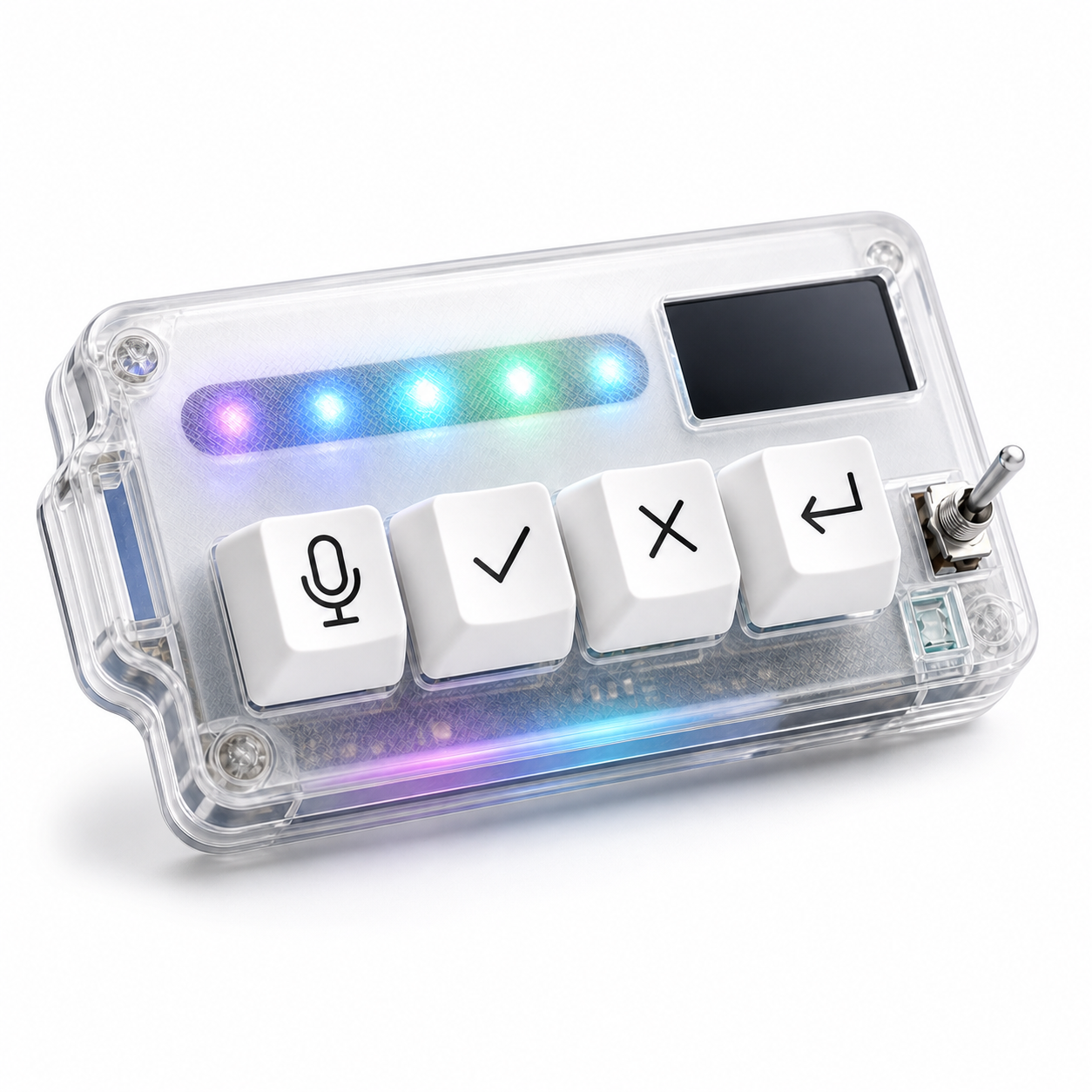
A compact AI command keyboard for voice prompts, approvals, cancels, and return actions during agent-assisted development.
When AI assistance speeds up the session, the important controls should feel deliberate. HarnessKeys keeps the repeat actions visible, physical, and under your hand.
Why control matters
Fast AI coding needs a harness, not another loose shortcut.
AI-assisted development moves quickly: explain the intent, let an assistant work, review the next step, and stay in the build. The weak point is control. When every approval, cancel, prompt, and continue action lives in a different window, the session feels casual instead of precise.
HarnessKeys turns those repeat decisions into a physical control layer. It does not replace your main keyboard. It gives agentic coding a dedicated set of keys, so speed has structure.
Prompt from the work
Keep voice input ready for quick explanations, bug notes, test ideas, and agent instructions without pulling attention out of the editor.
Approve deliberately
When an AI agent asks for confirmation, a dedicated approve key makes the action feel intentional instead of buried inside another interface.
Stop bad paths early
A physical cancel control gives you a clean way to stop a bad path, reject the wrong command, or end a tangent before it pulls you away.
Move the session forward
The return-style key is for continuing, submitting, and moving the session forward when your attention is still inside the code.
AI command surface
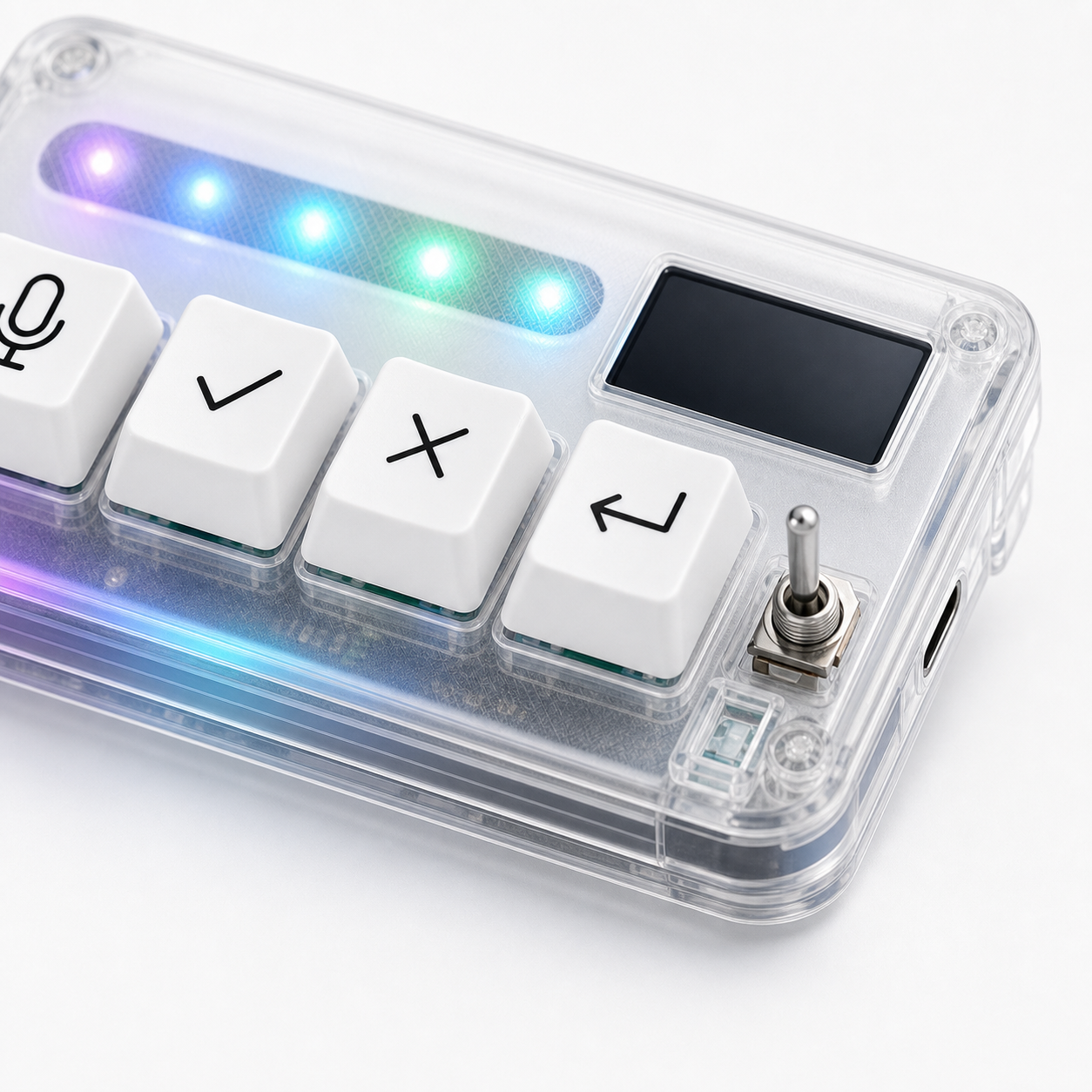
Four keys for the moments that decide the session.
HarnessKeys gives AI coding a small command surface: speak the intent, approve the next move, cancel the wrong path, and continue when the output is ready. The screen, toggle, and lighting make the controller feel present on the desk instead of hidden behind software shortcuts.
Control flow
Map the actions that keep your coding session moving.
HarnessKeys works best when each key has a job you use often. For many developers, that means turning the repeated AI-agent loop into four physical actions: speak the intent, approve the next step, cancel the wrong direction, and continue when the output is ready.
Dictate prompts
Capture a thought while it is fresh. Use voice for rough instructions, bug descriptions, refactor goals, or a quick note to the assistant while your eyes stay on the code.
Approve runs
Give approval a physical action. It helps separate deliberate confirmations from casual clicks, especially when an agent is proposing file edits, commands, or next steps.
Cancel noise
Stop a path that is drifting, reject a poor suggestion, or end a command before it becomes a longer distraction. A cancel key is small, but it protects attention.
Continue flow
Use the return-style key for submit, continue, or confirm patterns. It gives the command keyboard one clear way to move the session forward.

Made for the desk
Built for desks where AI tools stay open all day.
HarnessKeys is for people who keep a coding assistant, terminal, browser, and editor open together. Claude, Cursor, Codex, and similar tools can create a fast working loop, but the loop gets messy when every small decision happens in a different part of the screen.
The device gives that loop a physical harness. It can sit beside your main keyboard, laptop, or existing desk controller, ready for the four actions that come up most often during AI-assisted development.
Hardware details
Simple hardware details, clearer command signals.
A serious AI coding controller should not ask you to learn a complicated new system. HarnessKeys is intentionally limited: four obvious keys, a compact shape, flexible input, and visible status cues. That narrow scope is the point. It is easier to remember, easier to place, and easier to make part of a daily routine.
USB and Bluetooth support give you room to choose a stable wired desk setup or a cleaner wireless layout.
The screen and lighting make the device feel present in the workflow, which matters when you are switching between tools quickly.
The small footprint helps it stay within reach without competing with your main keyboard, mouse, trackpad, or notebook.
Software names on this page describe possible workflows. HarnessKeys is not affiliated with or certified by those companies.
Simple pricing
One HarnessKeys controller for your AI coding desk.
The pricing is intentionally simple: one compact AI command keyboard, one clear checkout path, and the core controls you need for prompt, approve, cancel, and return actions. Buy it when you are ready to make repeated AI workflow decisions feel physical instead of scattered across the screen.
HarnessKeys AI Command Keyboard
A compact AI command keyboard for voice prompts, approvals, cancels, and return-style controls during agent-assisted development.
- One HarnessKeys four-key workflow controller
- Mic, approve, cancel, and return-style key layout
- USB and Bluetooth connection support
- Transparent shell with visible lighting cues
- Status screen area for workflow feedback
- Direct checkout with the product added to cart
The button adds HarnessKeys to cart and opens checkout without an extra product-page step.
Before you buy
Questions before you make it part of your setup.
HarnessKeys is a focused desk controller, so the best buyers are people who already feel the pain of repeated prompt, approval, cancel, and continue actions. These answers keep the product clear.
Is HarnessKeys a full keyboard?
No. HarnessKeys is a compact AI command keyboard for a few repeated workflow controls. It is meant to sit beside your main keyboard, not replace it.
What software is it for?
It is positioned for AI coding and agent workflows where voice input, approvals, cancels, and return-style actions repeat often. Claude, Cursor, Codex, and similar tools are examples of workflows it can support, not official endorsements.
Where does vibe coding fit?
Vibe coding is the phrase many people use for the fast AI-assisted loop. HarnessKeys treats that loop more seriously: it gives the loop a physical harness, with dedicated controls for prompt, approve, cancel, and continue.
Does it include a custom screen?
The product includes a small status screen area as shown in the product images. Actual screen behavior can depend on firmware, setup, and the workflow you map to the keys.
Is setup the same for every tool?
No. Different tools expose different shortcut, voice, approval, or command patterns. Treat HarnessKeys as a physical input surface that you map to the workflow you use most.
What ships in the package?
Package contents can vary by fulfillment batch. The product page and checkout notes are the source of truth for what ships with the current batch.
Can I remap the keys?
HarnessKeys is best treated as a physical input surface. You can map the keys to the shortcuts, commands, or app actions that fit your own workflow.
Does it work on macOS?
Yes, it is designed for normal desktop input workflows. The exact mapping depends on the apps and shortcuts you configure on your Mac.
Does it work on Windows?
Yes. Use it as a compact controller and map the keys to Windows shortcuts, app commands, or automation utilities that match your AI coding setup.
Does it work on Linux?
It can fit Linux desk setups that support external input devices and custom key mapping. Your desktop environment and toolchain decide the exact setup path.
Is USB required?
No. USB is useful for a stable desk setup, while Bluetooth is useful when you want fewer cables. Choose the connection that fits your workspace.
Can I use it without voice input?
Yes. The microphone key is only one possible mapping. You can use the keys for prompts, snippets, app switching, confirmations, or other repeated controls.
Will it write prompts for me?
No. HarnessKeys is hardware, not an AI writing service. It helps you trigger or control the workflow you already use.
Is it only for developers?
Developers are the main audience, but operators, support teams, researchers, and writers can use the same physical controls for repeated AI actions.
How does checkout work?
The Buy HarnessKeys button adds the product to your cart and opens checkout. You can review the order details before completing payment.
Can I order more than one?
Yes. Use the cart or checkout quantity controls if you want one for another desk, teammate, or testing setup.
Do product images match every batch?
Images show the current product direction and hardware style. Small packaging, lighting, or finish details can vary by fulfillment batch.
Where can I ask pre-sale questions?
Use the contact page before ordering if you need help deciding whether the device fits your workflow.
What if I need setup help after delivery?
Contact support with your order email, device details, operating system, and the app you want to control. That context makes troubleshooting faster.
Is HarnessKeys affiliated with Claude, Cursor, Codex, or ChatGPT?
No. Those names describe common workflow examples. HarnessKeys is an independent hardware product and is not certified by those companies.
HarnessKeys is an independent hardware product. Mentioned software names are workflow examples only and do not imply affiliation, sponsorship, or certification.
Put an AI command keyboard beside your main keyboard.
Start with one compact control surface for voice prompts, approvals, cancels, and return-style actions during agent-assisted coding.